
Features
What each office gets
Everything on this page works in ScholaXen today. Each member of staff sees the screens their work needs.
Head and proprietor
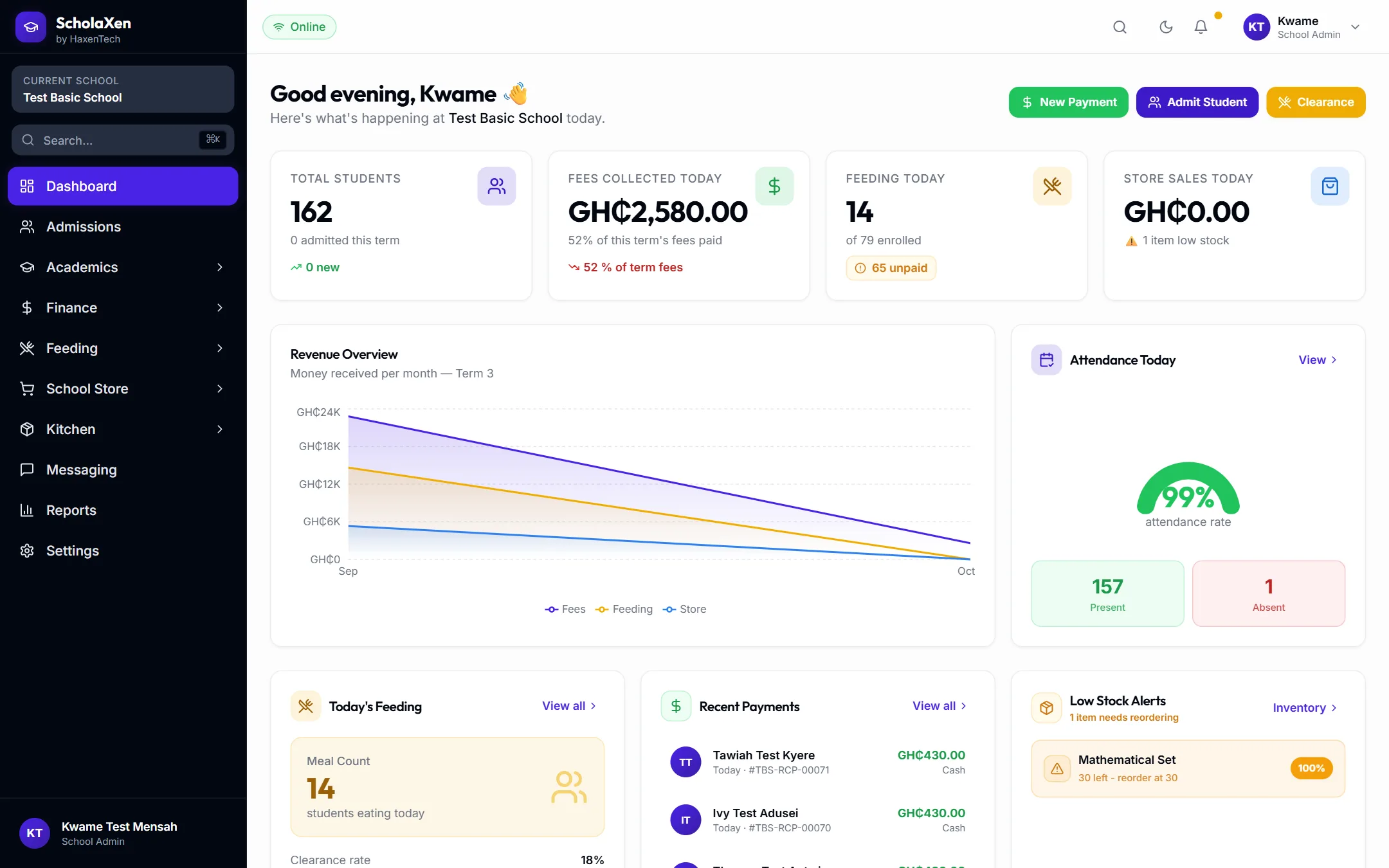
- The day at a glance: learners on roll, fees received today, the share of this term's fees already paid, feeding, store sales, attendance and low stock.
- Money received in each month of the term, from school fees, feeding and the store, compared with the same point of last term.
- The arrears list: which learners owe, and how much, so you know whom to call.
Bursar
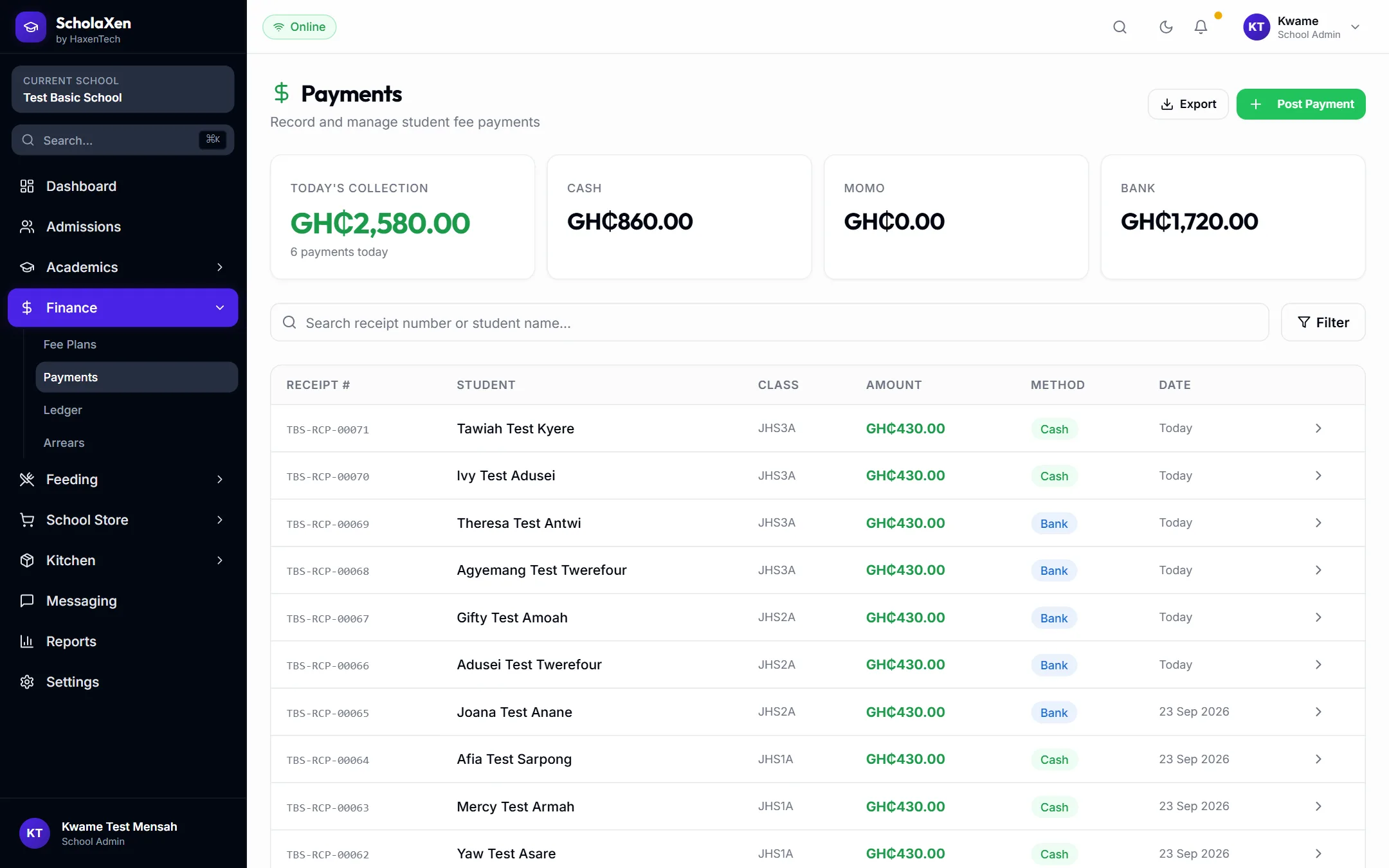
- Fee items (tuition, levies, examination, activity and others), combined into a fee plan for each class and term.
- Instalments with due dates. Each learner's instalments show as paid, part-paid, pending or overdue.
- Payments by cash, MoMo, bank transfer or cheque, allocated to what the learner owes, with a receipt to print.
- Each learner's ledger, and the list of learners in arrears.
Teachers
- Class lists for each class and stream, and the subjects taught.
- Attendance, marked for the day.
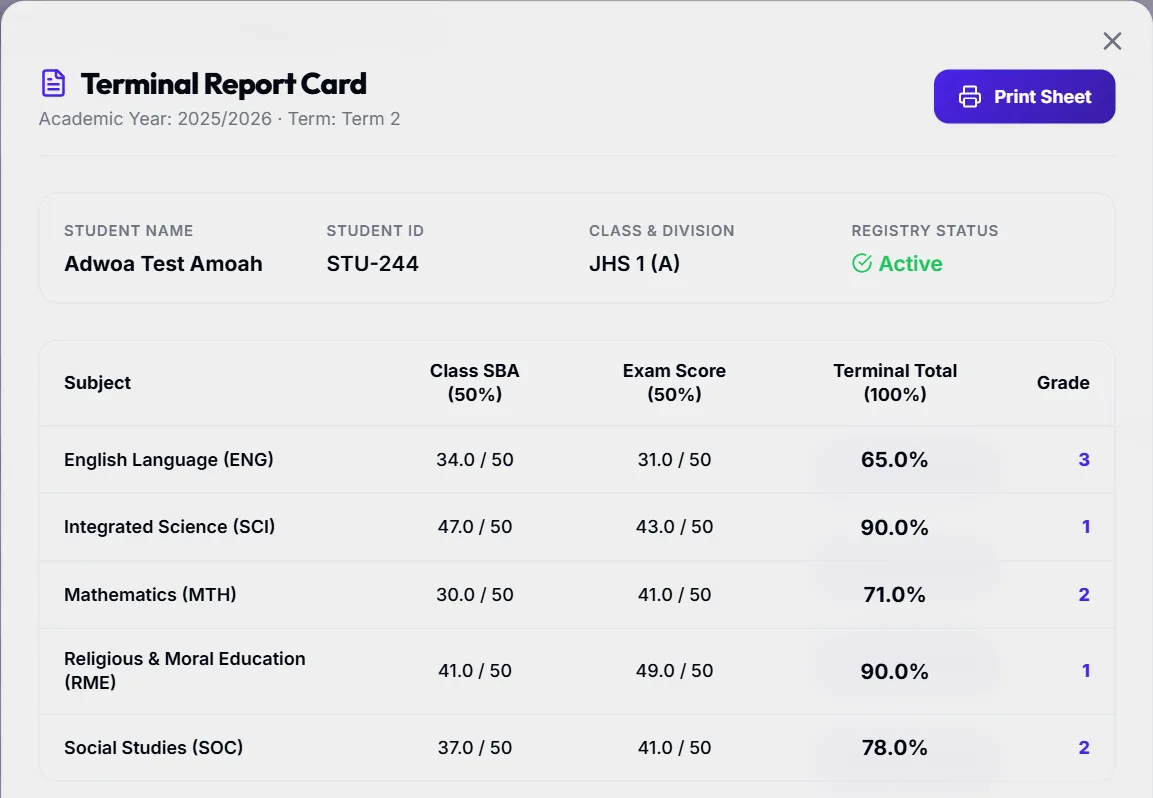
- Continuous assessment and exam scores for each subject.
- Results computed for the term, and terminal reports ready to print, for one learner or the whole class.
Admissions
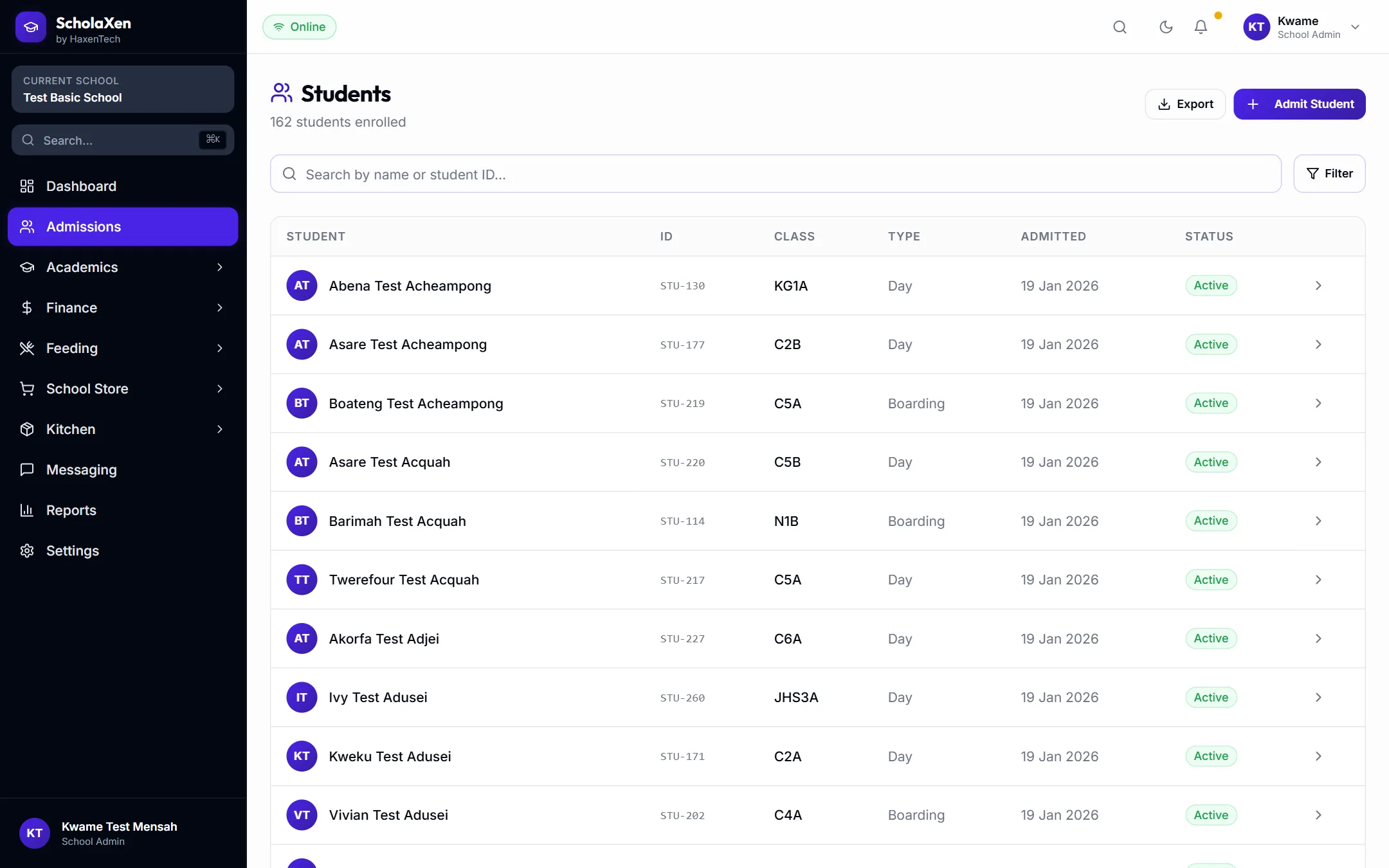
- Each learner's record: details, class and stream, day or boarding, and guardians with their phone numbers.
- Learners admitted, transferred, withdrawn or graduated, with their class history kept.
- Search the whole school by name or student ID.
School store
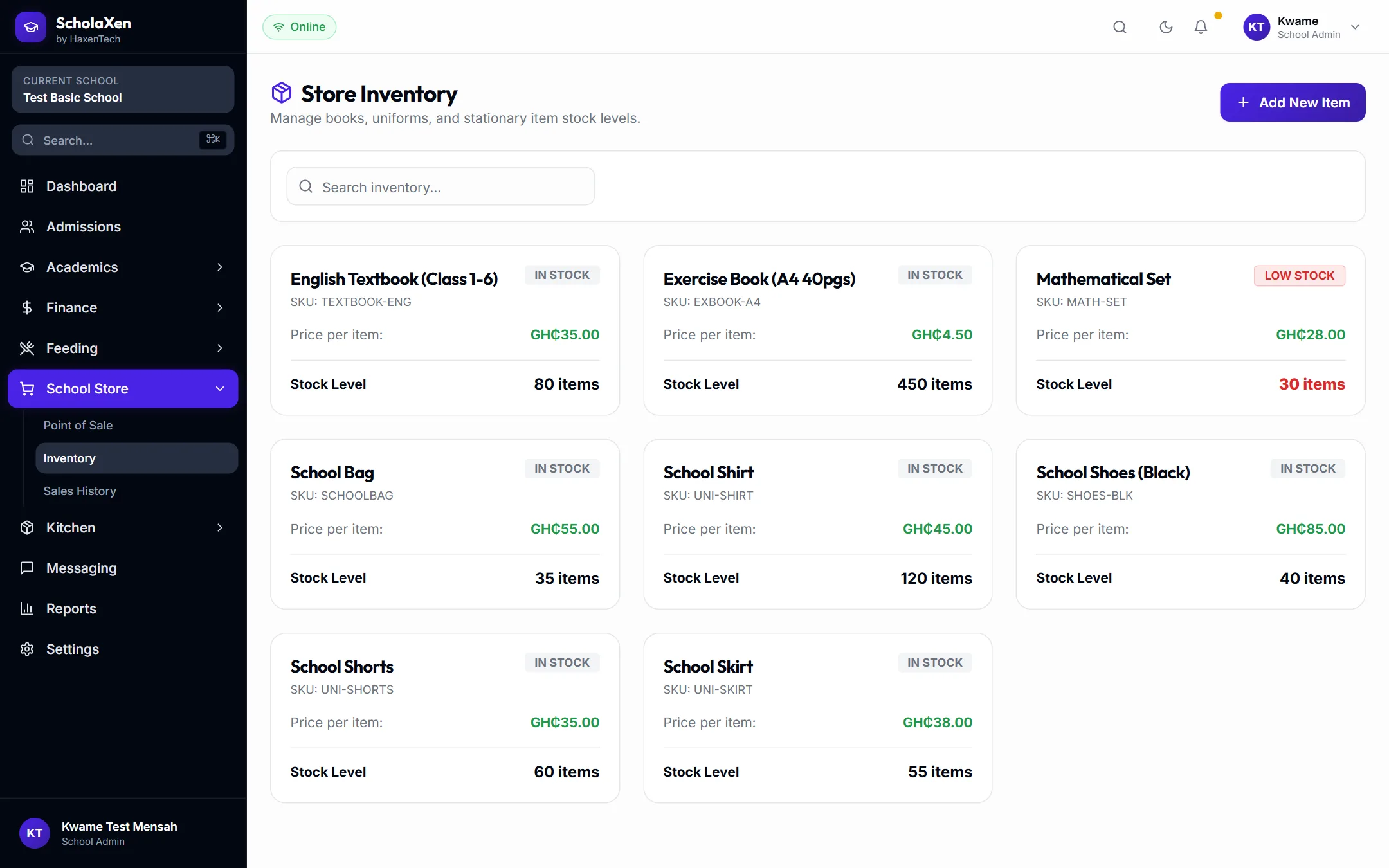
- Uniforms, books, shoes and other items, with sizes, prices and stock.
- Sales at the counter, linked to the learner who buys.
- Reorder levels, so the store knows what to buy before it runs out; the dashboard shows what is low.
For everyone
In the web browser
On a phone, tablet or computer. Nothing to install.
Your own account
Administrator, admissions, bursar, storekeeper, kitchen manager, kitchen staff or teacher: each sees what the role allows.
Your school only
Every record belongs to your school. Other schools using ScholaXen never see it.
See ScholaXen with your own classes and fees.
We come to your school, or meet online, and walk through fees, feeding and academics with your own class list and fee structure.